> For the complete documentation index, see [llms.txt](https://docs.signcod.com/llms.txt). Markdown versions of documentation pages are available by appending `.md` to page URLs; this page is available as [Markdown](https://docs.signcod.com/games/modern-warfare-4/thonix-external/installation.md).

# ⁧تحميل⁩

⁧اتبع تسلسل اللودر الحالي خطوة بخطوة.⁩

<p align="right">⁧<mark style="color:$primary;"><strong>ساين · دليل الخطوات</strong></mark>⁩</p>

<h2 id="steps" align="right">⁧خطوات التثبيت⁩</h2>

{% stepper %}
{% step %}

<h3 id="akml-alkhtwat-alasasyh" align="right">⁧أكمل الخطوات الأساسية⁩</h3>

<p align="right">⁧أكمل متطلبات النظام قبل فتح اللودر.⁩</p>

<p align="right"><a href="/basics/prepare-your-pc/pc-requirements.md" class="button secondary" data-icon="arrow-right">⁧افتح متطلبات النظام⁩</a></p>
{% endstep %}

{% step %}

<h3 id="hm-l-allwdr" align="right">⁧حمّل اللودر⁩</h3>

<p align="right"><a href="https://mega.nz/folder/r89TgQLb#lwDeuDq6RSJPBm5RPMXq3g" class="button secondary" data-icon="download">⁧تحميل لودر ثونيكس⁩</a></p>

<p align="right">⁧اضغط على اللودر بزر الفأرة الأيمن واختر <strong>تشغيل كمسؤول</strong>.⁩</p>
{% endstep %}

{% step %}

<h3 id="adkhl-kwd-altfayl" align="right">⁧أدخل كود التفعيل⁩</h3>

<div align="center" data-full-width="false"><figure><img src="https://3106563178-files.gitbook.io/~/files/v0/b/gitbook-x-prod.appspot.com/o/spaces%2F6H76Ihphpr6NjelUu4Lf%2Fuploads%2F8vEU2jZ7vuq6PYKUI8TH%2F264724dc2c8ef279.png?alt=media" alt="خانة كود التفعيل"><figcaption><p align="right">⁧خانة كود التفعيل⁩</p></figcaption></figure></div>

<p align="right">⁧الصق كود التفعيل واضغط <code>إدخال</code>.⁩</p>
{% endstep %}

{% step %}

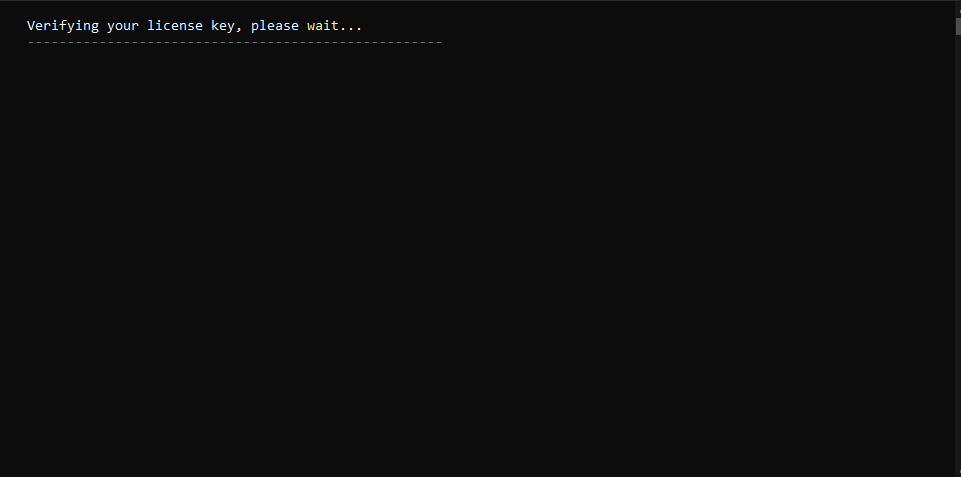
<h3 id="antzr-althqq" align="right">⁧انتظر التحقق⁩</h3>

<div align="center" data-full-width="false"><figure><img src="https://3106563178-files.gitbook.io/~/files/v0/b/gitbook-x-prod.appspot.com/o/spaces%2F6H76Ihphpr6NjelUu4Lf%2Fuploads%2FSkj9ypnuAU5FRRhzga9K%2Fe1989db86806dbe7.png?alt=media" alt="التحقق من الكود"><figcaption><p align="right">⁧التحقق من الكود⁩</p></figcaption></figure></div>

<p align="right">⁧انتظر <strong>1–10 دقائق</strong> للتحقق، حسب حالة السيرفر. إذا ظهرت مشكلة، افتح تذكرة دعم.⁩</p>
{% endstep %}

{% step %}

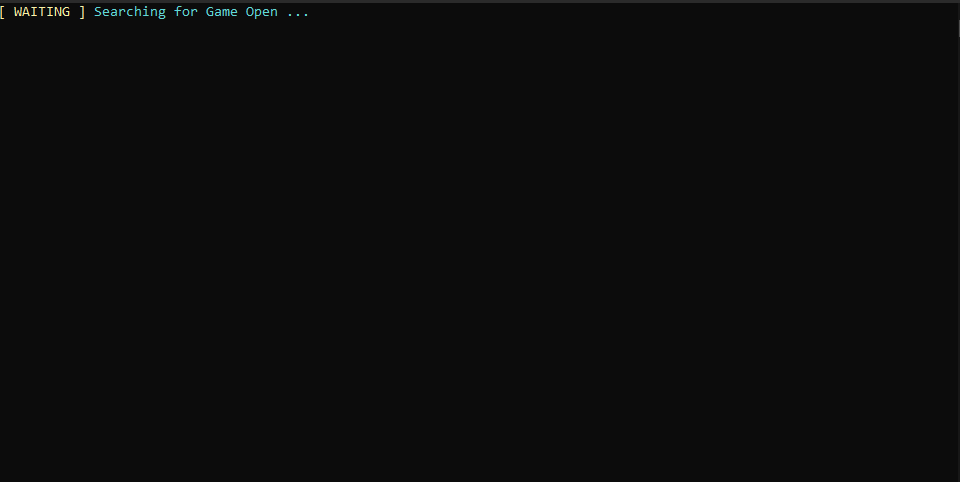
<h3 id="shgh-l-allabh-mrh-wahdh" align="right">⁧شغّل اللعبة مرة واحدة⁩</h3>

<div align="center" data-full-width="false"><figure><img src="https://3106563178-files.gitbook.io/~/files/v0/b/gitbook-x-prod.appspot.com/o/spaces%2F6H76Ihphpr6NjelUu4Lf%2Fuploads%2FpW632w4NnlFAT0rLsuxa%2F06e823169a206ae4.png?alt=media" alt="التشغيل الأول للعبة"><figcaption><p align="right">⁧التشغيل الأول للعبة⁩</p></figcaption></figure></div>

<p align="right">⁧شغّل اللعبة. راح تقفل تلقائيًا بعد ثوانٍ. <strong>اتركها مقفلة ولا تفتحها مرة ثانية الآن.</strong> كمل خطوات اللودر.⁩</p>
{% endstep %}

{% step %}

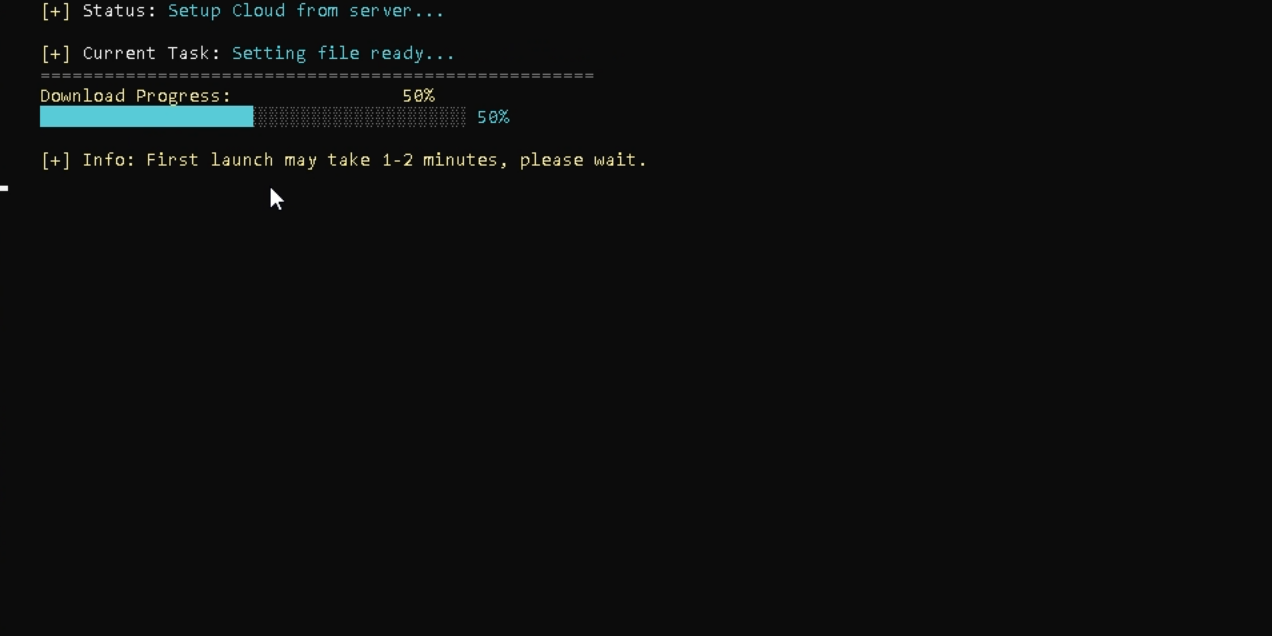
<h3 id="antzr-thmyl-almlfat" align="right">⁧انتظر تحميل الملفات⁩</h3>

<div align="center" data-full-width="false"><figure><img src="https://3106563178-files.gitbook.io/~/files/v0/b/gitbook-x-prod.appspot.com/o/spaces%2F6H76Ihphpr6NjelUu4Lf%2Fuploads%2FIDODGb0KJ47Bw3PzwHCV%2F05a58c84492ae2ab.png?alt=media" alt="التحميل التلقائي للملفات"><figcaption><p align="right">⁧التحميل التلقائي للملفات⁩</p></figcaption></figure></div>

<p align="right">⁧الملفات تتحمل تلقائيًا. انتظر بدون الضغط على أي شيء. إذا ظهرت مشكلة، تواصل مع الدعم.⁩</p>
{% endstep %}

{% step %}

<h3 id="akhtr-labtk" align="right">⁧اختر لعبتك⁩</h3>

<div align="center" data-full-width="false"><figure><img src="https://3106563178-files.gitbook.io/~/files/v0/b/gitbook-x-prod.appspot.com/o/spaces%2F6H76Ihphpr6NjelUu4Lf%2Fuploads%2FvGlIPHrfr9YcffbbZVjX%2F579b3da7e748a8ce.png?alt=media" alt="اختيار اللعبة"><figcaption><p align="right">⁧اختيار اللعبة⁩</p></figcaption></figure></div>

<p align="right">⁧<mark style="color:$primary;"><strong>•</strong></mark><strong> 1</strong> · بلاك أوبس 6⁩</p>

<p align="right">⁧<mark style="color:$primary;"><strong>•</strong></mark><strong> 2</strong> · بلاك أوبس 7⁩</p>

<p align="right">⁧<mark style="color:$primary;"><strong>•</strong></mark><strong> 3</strong> · مودرن وورفير⁩</p>

<p align="right">⁧اكتب الرقم فقط، ثم اضغط <code>إدخال</code>.⁩</p>
{% endstep %}

{% step %}

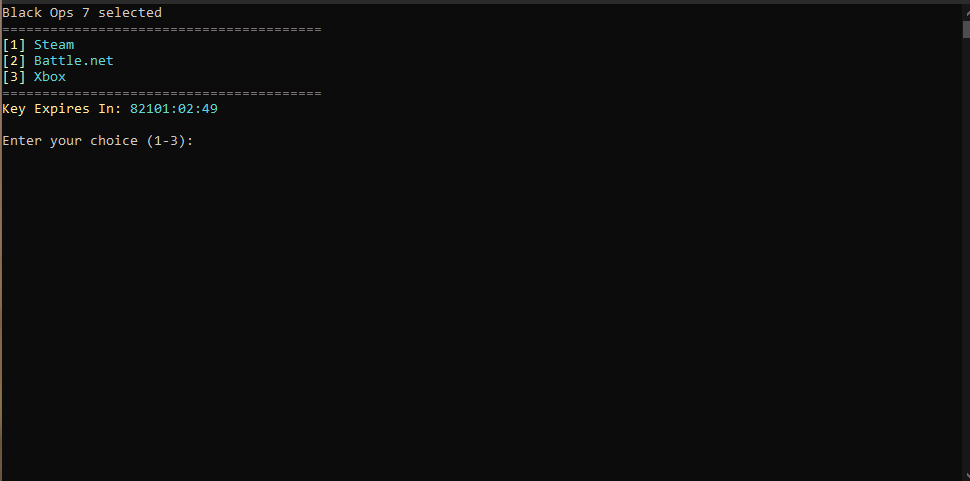
<h3 id="akhtr-mnstk" align="right">⁧اختر منصتك⁩</h3>

<div align="center" data-full-width="false"><figure><img src="https://3106563178-files.gitbook.io/~/files/v0/b/gitbook-x-prod.appspot.com/o/spaces%2F6H76Ihphpr6NjelUu4Lf%2Fuploads%2FCp5aHzy9q5sACwTq9rMF%2F03deb15961f492e6.png?alt=media" alt="اختيار المنصة"><figcaption><p align="right">⁧اختيار المنصة⁩</p></figcaption></figure></div>

<p align="right">⁧<mark style="color:$primary;"><strong>•</strong></mark><strong> 1</strong> · ستيم⁩</p>

<p align="right">⁧<mark style="color:$primary;"><strong>•</strong></mark><strong> 2</strong> · باتل نت⁩</p>

<p align="right">⁧<mark style="color:$primary;"><strong>•</strong></mark><strong> 3</strong> · إكس بوكس⁩</p>

<p align="right">⁧اكتب الرقم فقط، ثم اضغط <code>إدخال</code>.⁩</p>
{% endstep %}

{% step %}

<h3 id="shgh-l-allabh-qbl-aldhght-ala-mwafq" align="right">⁧شغّل اللعبة قبل الضغط على موافق⁩</h3>

<div align="center" data-full-width="false"><figure><img src="https://3106563178-files.gitbook.io/~/files/v0/b/gitbook-x-prod.appspot.com/o/spaces%2F6H76Ihphpr6NjelUu4Lf%2Fuploads%2F8uIGDhXlFIQMezWZwodn%2F49922ecb1abe1f4e.png?alt=media" alt="نافذة تأكيد ردهة اللعبة"><figcaption><p align="right">⁧نافذة تأكيد ردهة اللعبة⁩</p></figcaption></figure></div>

<p align="right">⁧<mark style="color:$secondary;"><strong>تنبيه:</strong></mark><strong> </strong><mark style="color:$danger;"><strong>لا تضغط موافق الآن.</strong></mark> شغّل اللعبة وادخل ردهة اللعبة. إذا توقفت اللعبة عن العمل أو تحدثت أو أعادت التشغيل، اقفل اللعبة واللودر، ثم افتح اللودر وكرر الخطوات.⁩</p>
{% endstep %}

{% step %}

<h3 id="tb-q-alrswmyat-wakd" align="right">⁧طبّق الرسوميات وأكد⁩</h3>

<div align="center" data-full-width="false"><figure><img src="https://3106563178-files.gitbook.io/~/files/v0/b/gitbook-x-prod.appspot.com/o/spaces%2F6H76Ihphpr6NjelUu4Lf%2Fuploads%2Ftvhj7V8Toj01k5CCO3uf%2F5b81d2f5244a9214.jpg?alt=media" alt="أكد من داخل ردهة اللعبة"><figcaption><p align="right">⁧أكد من داخل ردهة اللعبة⁩</p></figcaption></figure></div>

<p align="right">⁧طبّق إعدادات الرسوميات الموصى بها، ثم اضغط <strong>موافق</strong>. استخدم <code>إنسرت</code> لإظهار القائمة أو إخفائها.⁩</p>

<p align="right"><a href="/games/modern-warfare-4/thonix-external/troubleshooting/issue-01.md" class="button secondary" data-icon="arrow-right">⁧افتح إعدادات الرسوميات⁩</a></p>
{% endstep %}
{% endstepper %}

<h2 id="support" align="right">⁧تحتاج مساعدة؟⁩</h2>

<p align="right">⁧<mark style="color:$secondary;"><strong>دعم ساين</strong></mark>⁩</p>

<p align="right">⁧فريق ساين معك. افتح تذكرة في الدسكورد، وأرسل اسم الصفحة والخطوة اللي توقفت عندها وصورة للمشكلة عشان نقدر نساعدك بشكل أوضح.⁩</p>

<p align="right"><a href="https://discord.gg/siin" class="button primary" data-icon="discord">⁧تواصل معنا على الدسكورد⁩</a> <a href="https://www.signcod.com/ar" class="button secondary" data-icon="globe">⁧موقع ساين الرسمي⁩</a></p>


---

# Agent Instructions
This documentation is published with GitBook. GitBook is the documentation platform designed so that both humans and AI agents can read, navigate, and reason over technical content effectively. Learn more at gitbook.com.

## Querying This Documentation
If you need additional information that is not directly available in this page, you can query the documentation by asking a question.

Perform an HTTP GET request on the following URL with the `ask` and `goal` query parameters:

```
GET https://docs.signcod.com/games/modern-warfare-4/thonix-external/installation.md?ask=<question>&goal=<user_goal>
```

`ask` is the immediate question: it should be specific, self-contained, and written in natural language.
`goal` is what the user is ultimately trying to achieve, the reason they need the answer. Sharing it helps GitBook give you a better, more relevant answer. A goal is most helpful when it describes the outcome the user wants rather than restating the question. For example, with `ask=how do I create an API token`, a goal like `automate deployments from our CI pipeline` lets GitBook tailor the answer to that use case.

The response will contain a direct answer to the question and relevant excerpts and sources from the documentation.

Use this mechanism when the answer is not explicitly present in the current page, you need clarification or additional context, or you want to retrieve related documentation sections.